Access control
Turnstiles and RFID wristbands
They check the ticket, the time slot and the waiver before anyone gets in. Same hardware at water parks, trampoline parks, playgrounds, cable parks and FECs.
Which access control is right for your park?
wakesys access control is hardware a park buys from wakesys, on the same system that sold the ticket and collected the waiver. Guests tap a wristband or scan the ticket on their phone, and every turnstile and reader checks the ticket, the time slot and the waiver.
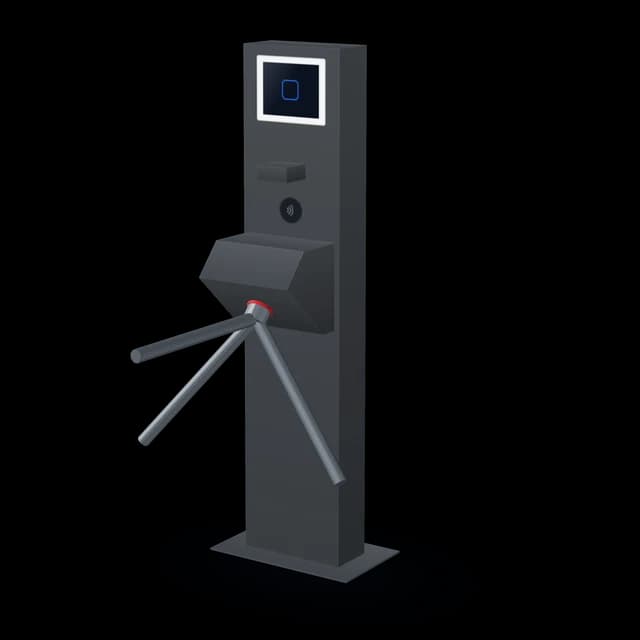
Turnstile
A tripod turnstile with a screen, a barcode scanner and an RFID pad.
Best for
Entrances that run without staff
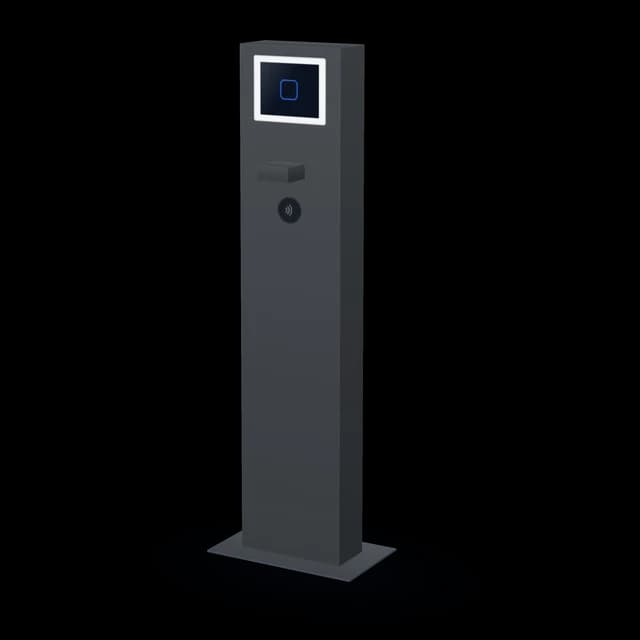
Entrance terminal
The turnstile's checks without the arm.
Best for
Entries where staff stand anyway, like an aqua park's safety area

RFID post reader
A steel post with the reader in its red cap. It beeps the answer.
Best for
Docks, pool gates and activity entrances

Desk reader
A matt black puck for the till.
Best for
The front desk
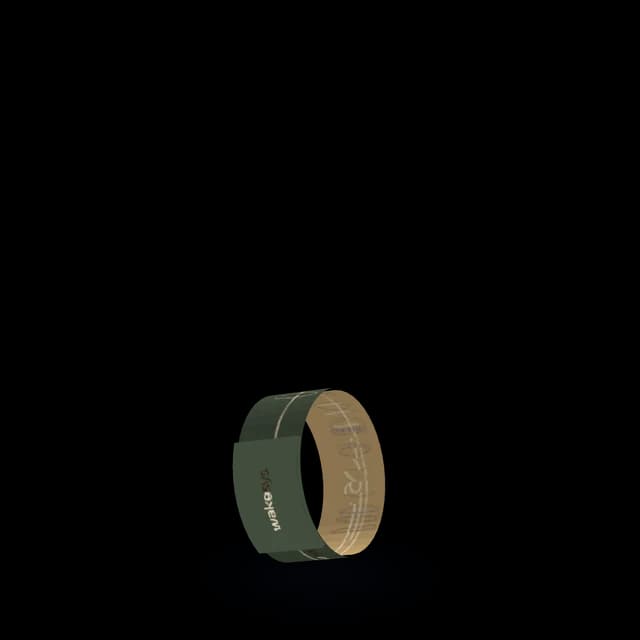
RFID wristband
Elastic, printed in full colour, with a woven pouch over the chip.
Best for
Guests in the water all day
What happens when a guest taps at the gate?
The turnstile asks wakesys the same questions your front desk would.
1
Scan or tap
The guest holds the ticket on their phone under the scanner, or taps an RFID wristband or card on the pad.
2
wakesys checks
Is the ticket valid? Is it for this time slot? Is the waiver signed? The screen ticks them off.
3
Green or red
Green: the screen shows the guest's photo, name, ticket and time left, and the arm turns. Red: the arm stays locked and the screen says why.
One beep means go
A steel post with the reader in the red cap. One network cable carries power and data, so it goes wherever you can run a cable: a dock, a pool gate, a door.
What the reader tells the guest
Where someone stands at the entry anyway, the entrance terminal runs the same checks as a turnstile, without the arm. At an aqua park, the lifeguard at the safety area checks the life jacket fit and asks for earrings to come out, while the terminal checks the ticket and the waiver.
Start with an iPad. Add a gate when the queue tells you to.
Every step runs on the same wakesys, so there is nothing to move over when you add the next one.
- 1
iPad only
Staff check guests in at the desk on the point of sale. No hardware at all.
- 2
Desk reader and wristbands
Staff tap a wristband at the till instead of searching for a name.
- 3
Post readers
Guests tap themselves at the dock, the pool gate or the jump floor. The beeps tell them the answer, and staff see every scan on a phone.
- 4
Turnstiles and entrance terminals
The entrance runs itself. No valid ticket or no signed waiver, no entry.
One wristband, every door
Every device asks the same wakesys the same questions. Nothing is typed in twice.
At home
The family books on a phone, and each of them signs the waiver through the claim link.
At the desk
Each of them gets a wristband. Staff tap it on the desk reader, and it carries their ticket.
At the entrance
Levi taps his wristband at the turnstile. The screen shows his photo and time left, and the arm turns.
At the activity
He taps again at the post reader: one beep. Later, three short beeps tell him he has under 10 minutes left.
The whole time
Staff see every scan on a phone, with his photo and ticket.
A waiver signed at home opens the gate. A ticket sold at the till works at the dock. Booked online? The ticket on the phone opens the same turnstile.
RFID wristband or the ticket on the phone?
Both open the same turnstile. Wristbands suit the water and all-day visits. The ticket on the phone suits families who booked online.
- Elastic
- No clasp to open. In 160, 170 and 180 mm.
- Printed
- Full colour on both sides, with a woven pouch over the chip.
- Only a number on the chip
- The wristband carries its chip number and nothing else. Name, ticket and waiver stay in wakesys.
- Desk reader
- A matt black puck at the till. Tap a wristband on it to find the guest.
Access control for water parks, trampoline parks and playgrounds
Same hardware, different door. The turnstiles and readers work the same at every venue.
Tech specs
Turnstile
- Reads
- Phone tickets by barcode, RFID wristbands and cards
- Checks
- Ticket, time slot and signed waiver
- Screen
- The guest's photo, name, ticket and time left
- Size
- 1.6 m tall on a 51 x 31 cm ground plate, 75 cm arm
- Stands
- Outside, bolted to wood or concrete
- Needs
- Power on its own fuse and two network cables
Entrance terminal
- Reads
- Phone tickets by barcode, RFID wristbands and cards
- Checks
- The same as the turnstile
- Lets through
- A member of staff, who has a reason to be there anyway
RFID post reader
- Reads
- RFID wristbands and cards
- Tells the guest
- 1 beep, 1 long beep or 3 short beeps
- Staff view
- Each scan on a phone or tablet
- Cap
- 70 mm across, cut at 45 degrees
- Needs
- One network cable for power and data (PoE)
Desk reader
- Reads
- RFID wristbands and cards
- Size
- 90 mm across, 22 mm tall, matt black
- Sits
- At the till
RFID wristband
- Band
- Elastic, 25 mm wide, in 160, 170 and 180 mm
- Full colour on both sides
- Chip
- Sealed in a woven pouch
- Stores
- Its chip number, nothing else
What to check before you buy access control
Five questions to ask any vendor before a turnstile goes in.
- Who makes the gate: One company for the gate and the software means one number to call when it stops. ROLLER's turnstiles come from partners such as Alvarado and aifinity.[1][2]
- What a scan costs: Both of those partner integrations need ROLLER's API add-on, and ROLLER counts one API call per scan. The add-on is $35 a month for 5,000 calls, $70 for 25,000 and $110 for 100,000, per venue.[1][2][3][4]
- The waiver at the gate: Does the gate turn away a guest with no signed waiver, or does it only check the ticket?
- Wristband and phone: Does one turnstile read the RFID wristband and the barcode on the phone, so guests who booked online need nothing else?
- Staff on a phone: Can staff check guests in on a phone without paying extra? ROLLER's Mobile Check-in app is a paid add-on.[5]
How we compare
The systems we've compared ourselves to. Ratings from G2 and Capterra, September 2026.
Frequently asked questions
Yes. No signed waiver, no entry: the gate stays shut and the screen says why. The guest signs on their phone and scans again.
One beep: the ticket is valid. One long beep of 3 seconds: no waiver signed, or the ticket has expired. Three short beeps: less than 10 minutes left on the ticket.
Yes. The turnstile has a barcode scanner for the ticket on the phone and an RFID pad for wristbands and cards.
No. Where a person stands at the entry anyway, such as the lifeguard at an aqua park's safety area, the entrance terminal runs the same checks as a turnstile without the arm. Turnstiles are for entrances that should run without staff.
Yes. The gate checks the time slot, the post reader gives three short beeps when less than 10 minutes are left, and the turnstile screen shows the time left.
Only its chip number. Name, ticket and waiver stay in wakesys, so a lost wristband carries no personal data.
The RFID post reader runs on PoE: one network cable carries power and data, so the post needs no socket.
Yes. Each scan shows up on a staff phone or tablet with the guest's photo, ticket and time left.
Yes. Our turnstiles and readers stand on open docks at cable parks, in sun and rain.
No. We run our own hardware only, so one team answers for the gate and the software.
No. wakesys runs on an iPad, and check-in at the desk works without anything else. Add gates and readers when you want guests to let themselves in.
Let the gate do the checking
A 30-minute demo, your venue, your questions. First 12 months free.