Check-in & POS
A POS your staff will actually like.
We designed the POS for busy Saturday afternoons. Large buttons, clear status indicators, instant feedback. No training manual required.
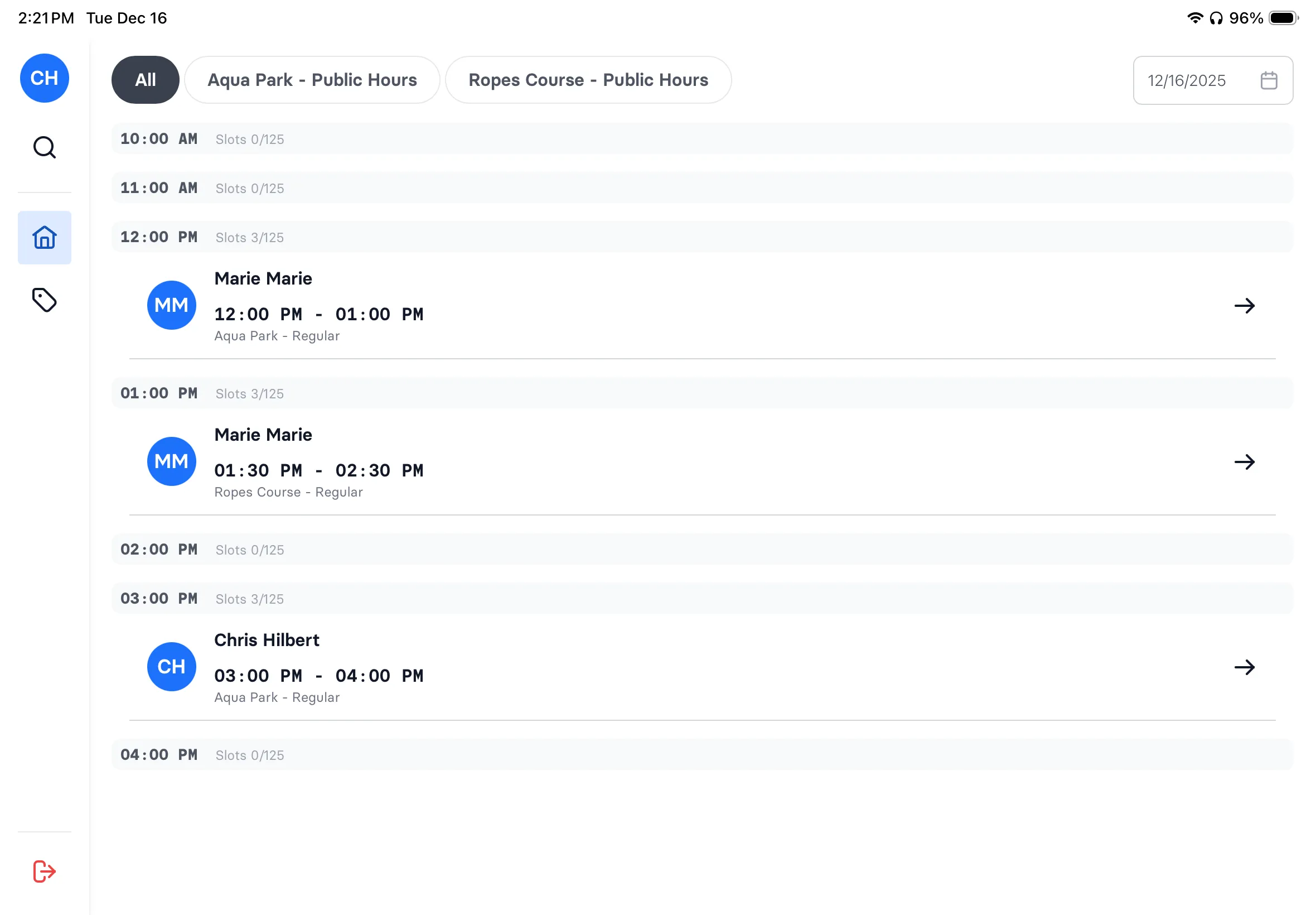
Today's manifest
See all bookings at a glance. Filter by time slot, activity, or status.
One-tap check-in
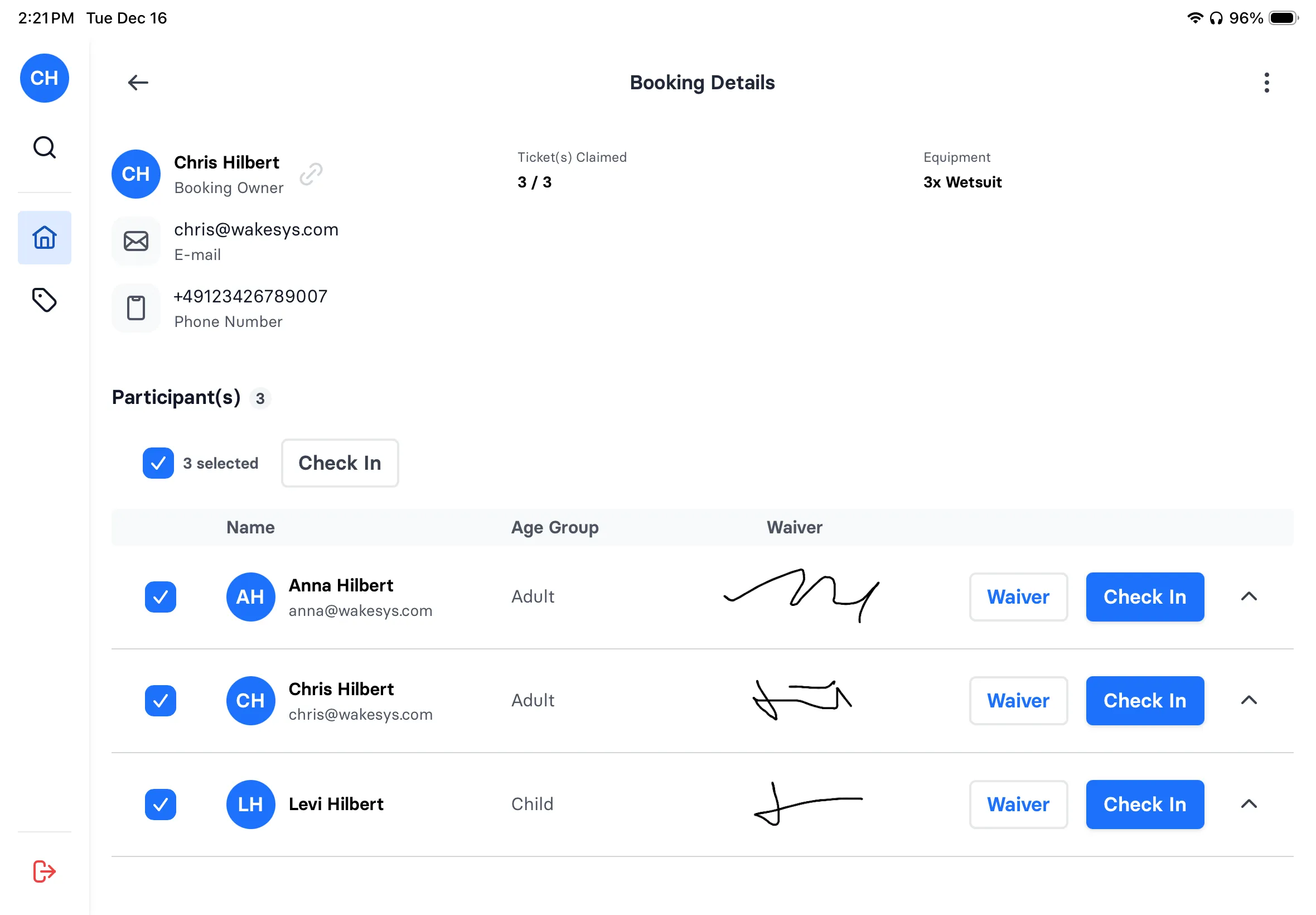
Green = ready. Tap to check in. Bulk check-in entire families.
Walk-in sales
Sell tickets at the counter. Cash, card, or Stripe Terminal.
On-site waivers
Walk-ins sign waivers on your tablet. No separate kiosk needed.
Customer search
Find any guest instantly. See history, waivers, past bookings.
Real-time updates
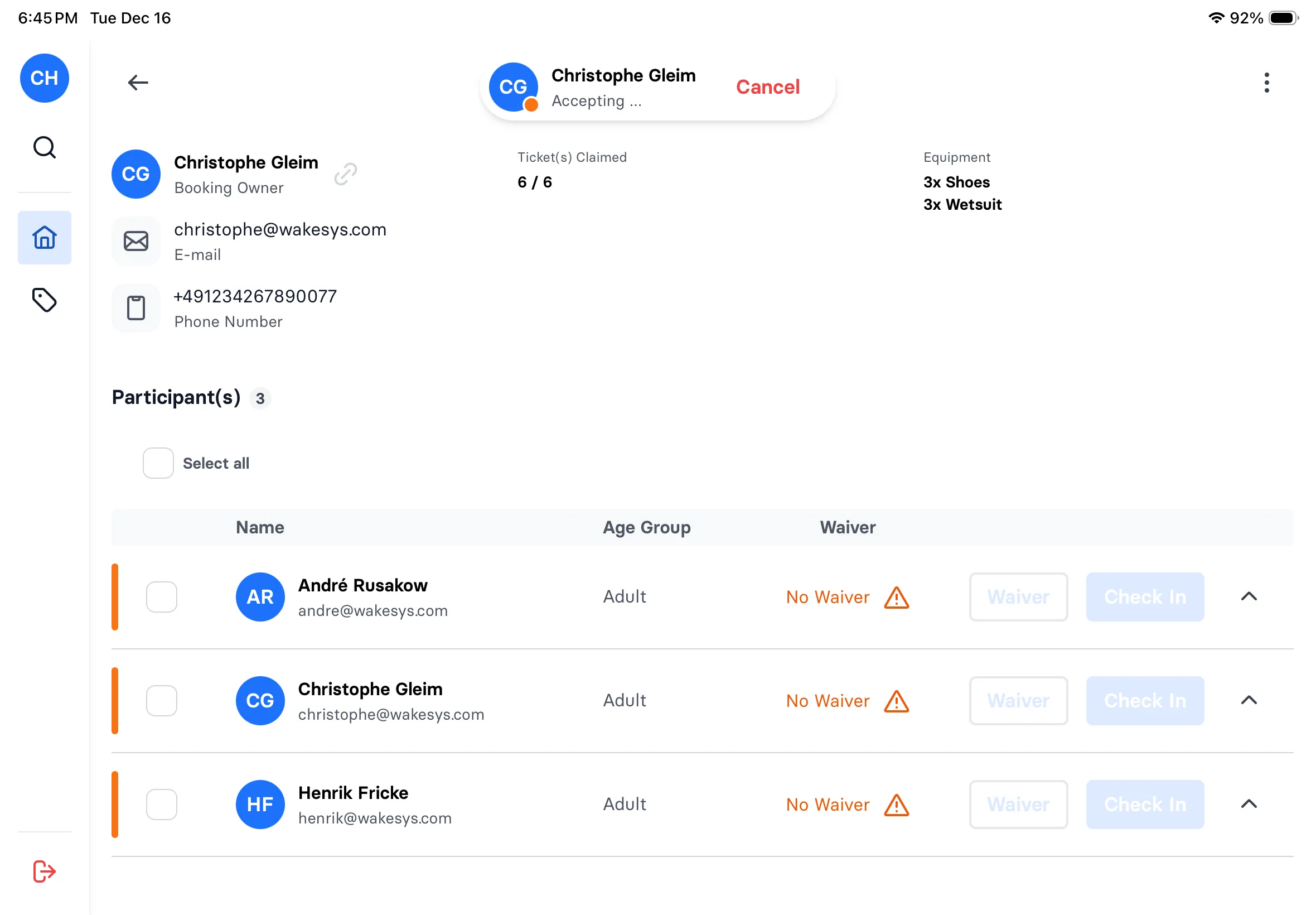
Claims appear live. No refresh needed. Always current.
Waiver status
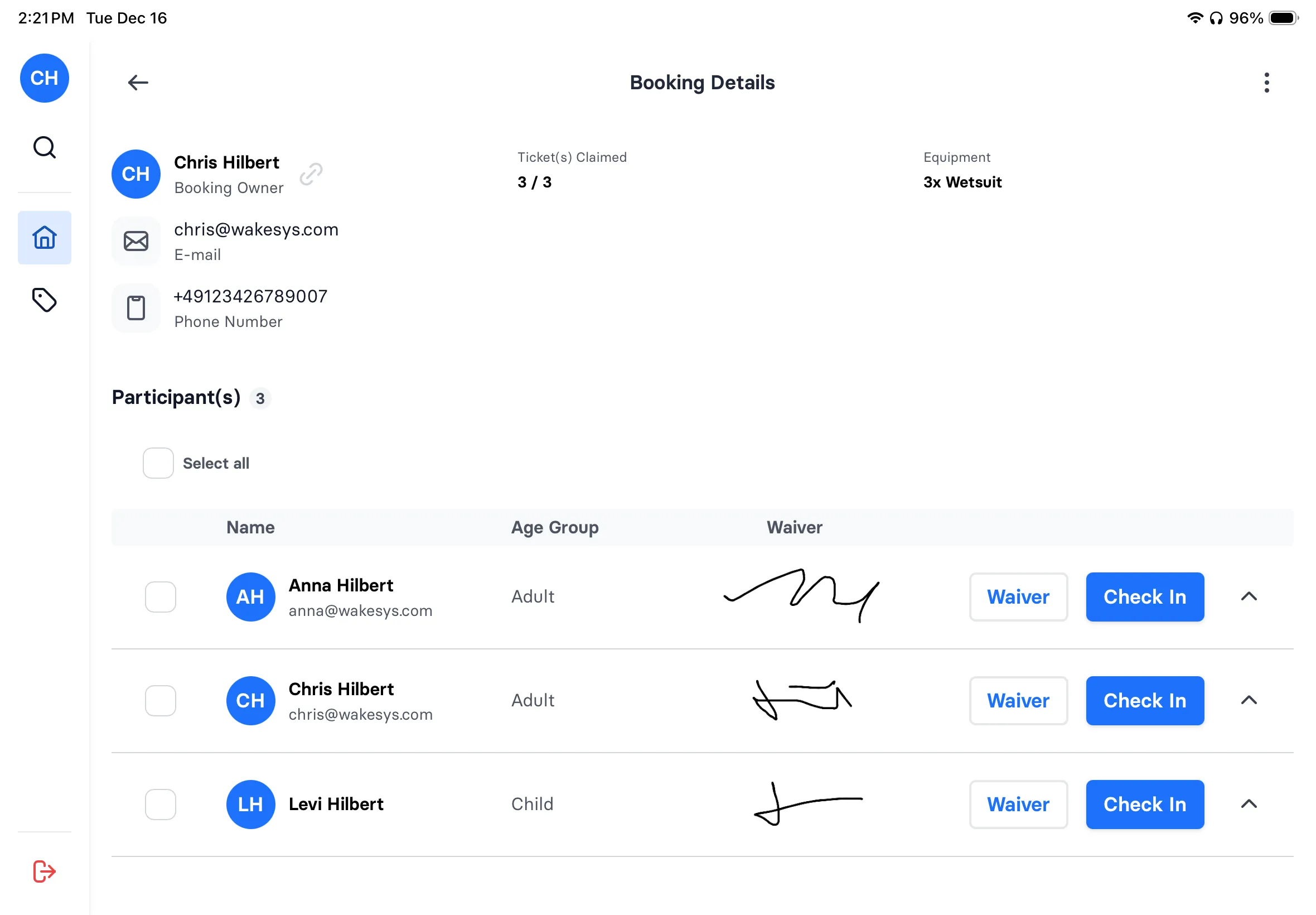
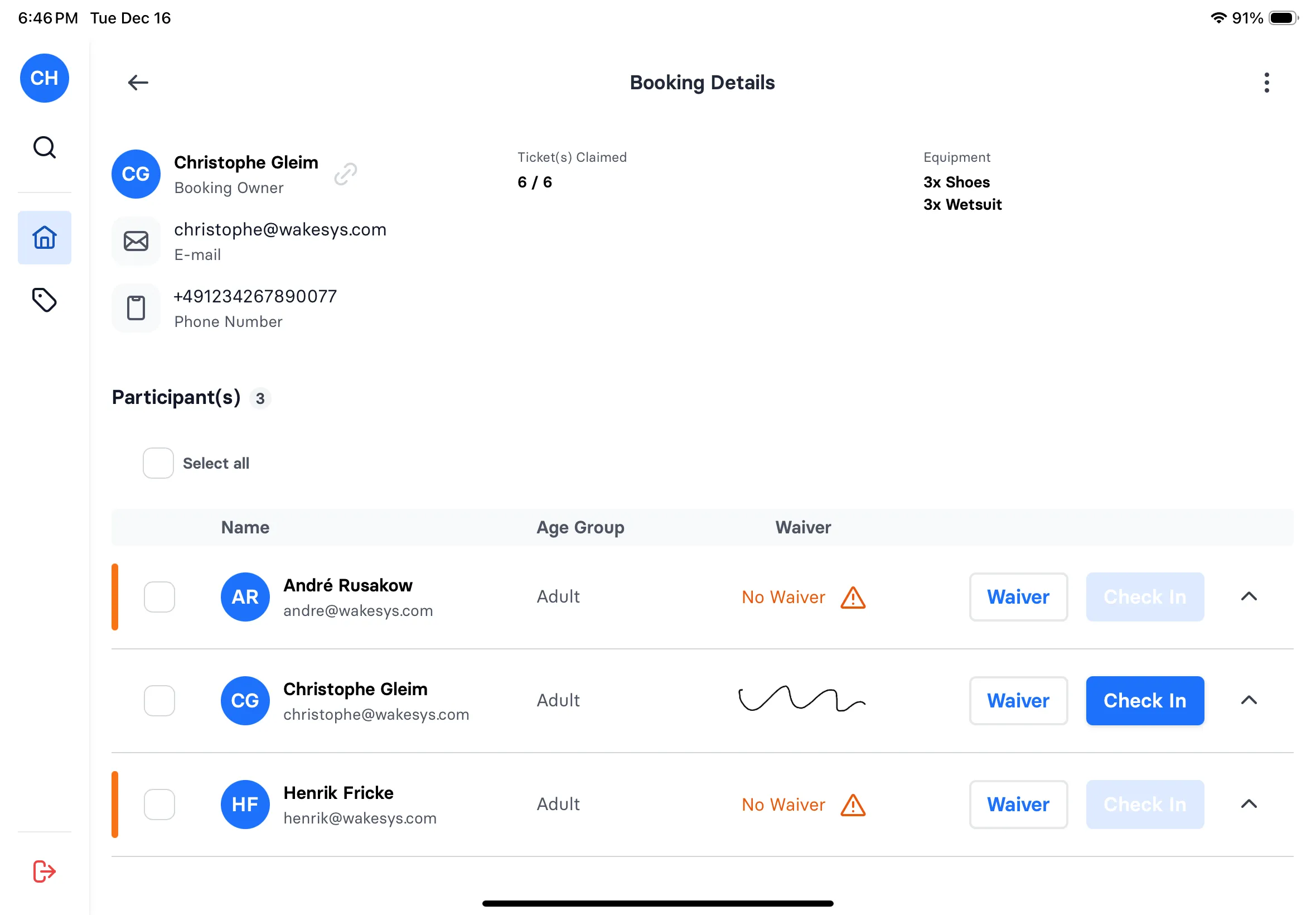
See signatures inline. Know who's ready at a glance.
Flexible refunds
Partial or full refunds. Weather cancellations made easy.
The check-in flow
Green means go
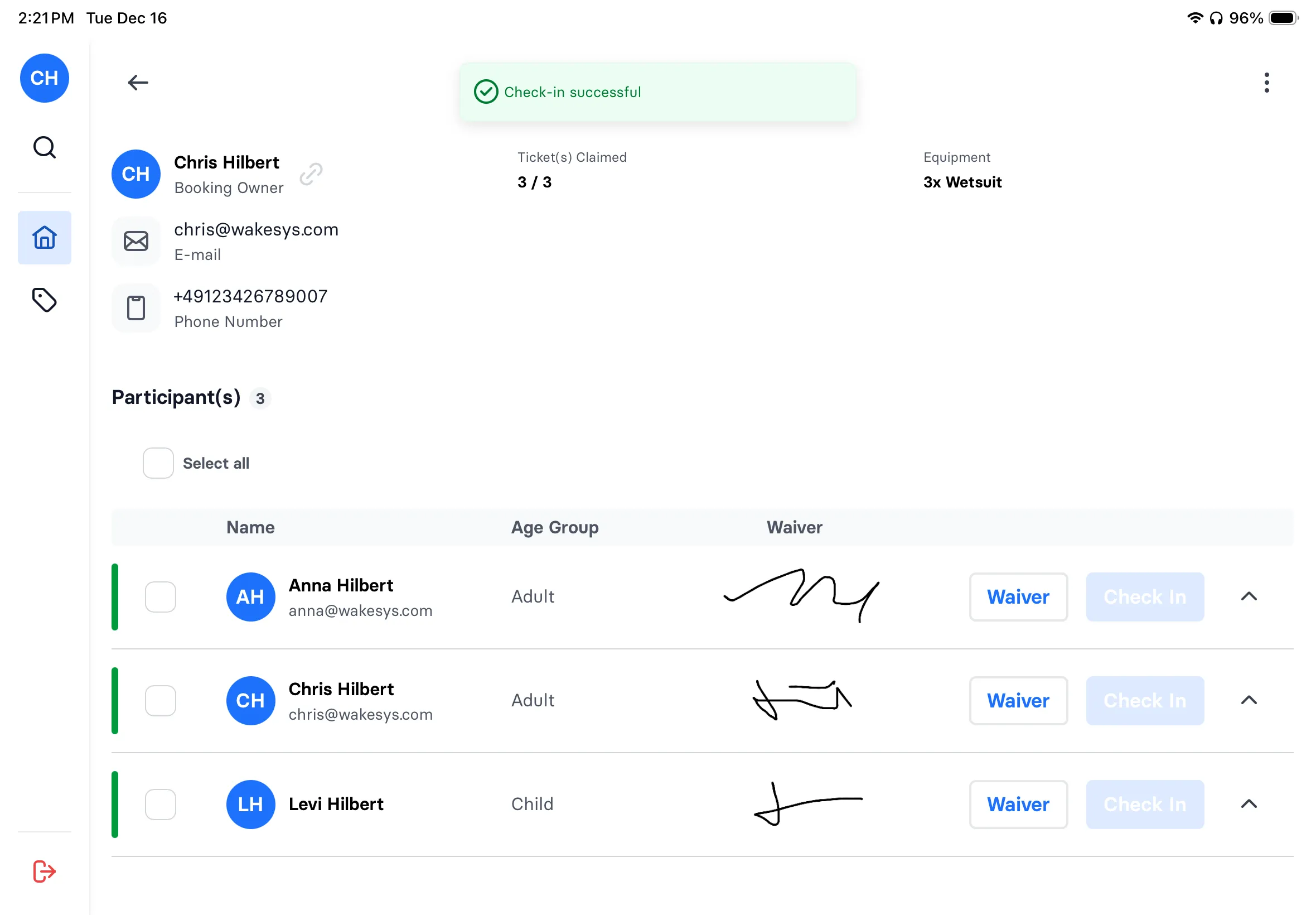
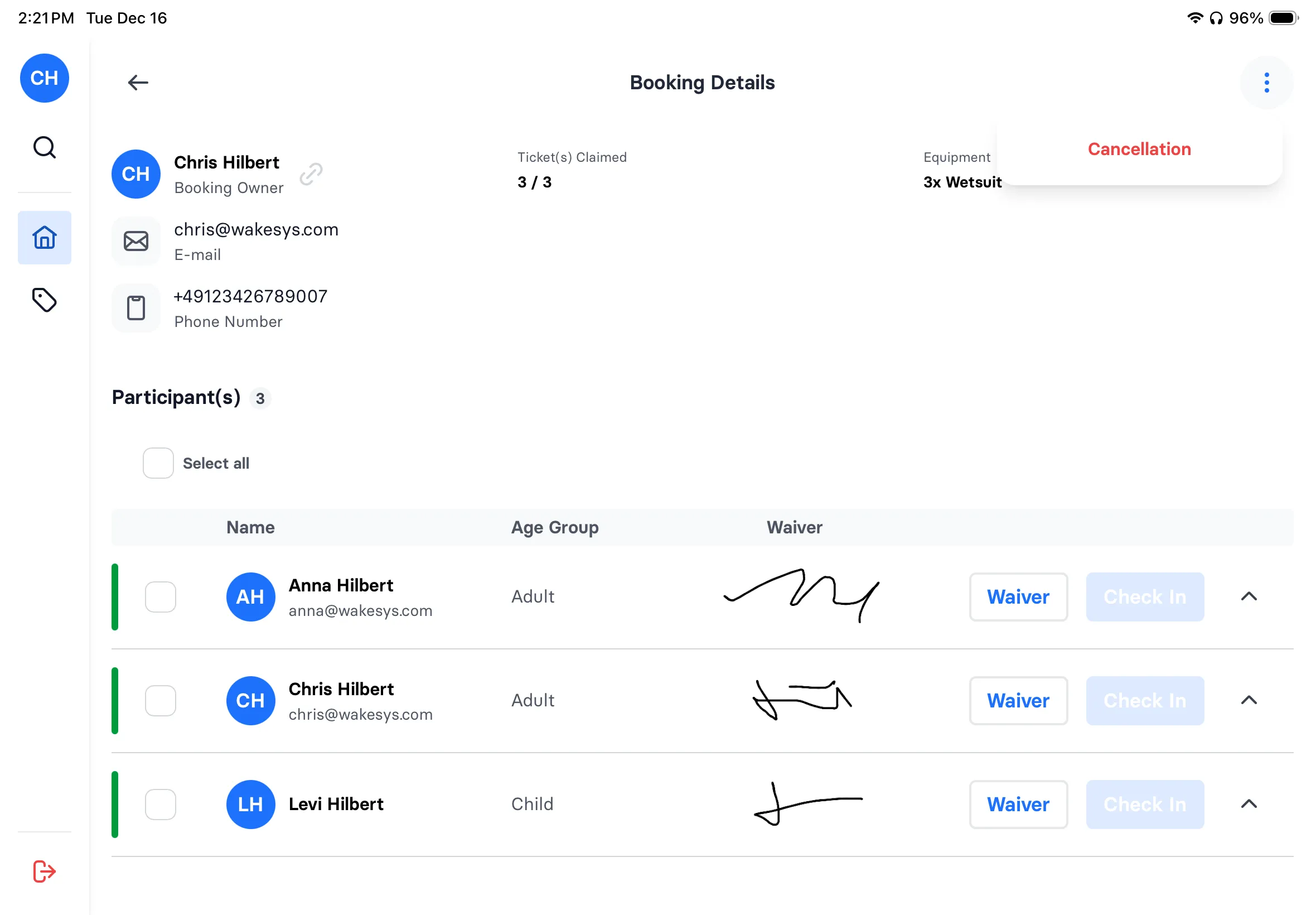
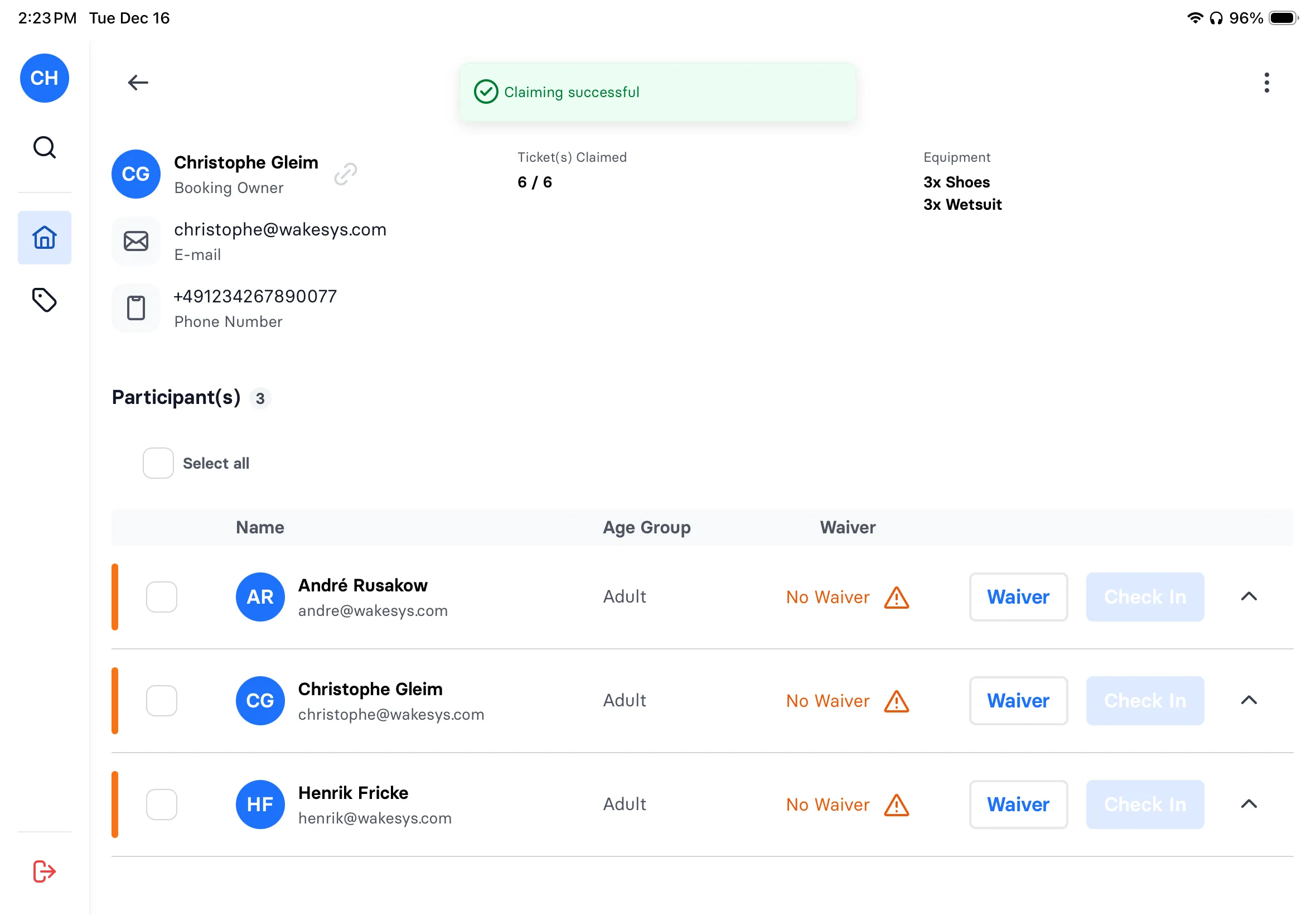
Your staff sees every booking with waiver signatures visible inline. Green bar means everyone's signed and ready. One tap to check in. Bulk check-in for families.
- See waiver signatures at a glance
- Green indicator = all waivers signed
- Select all → bulk check-in
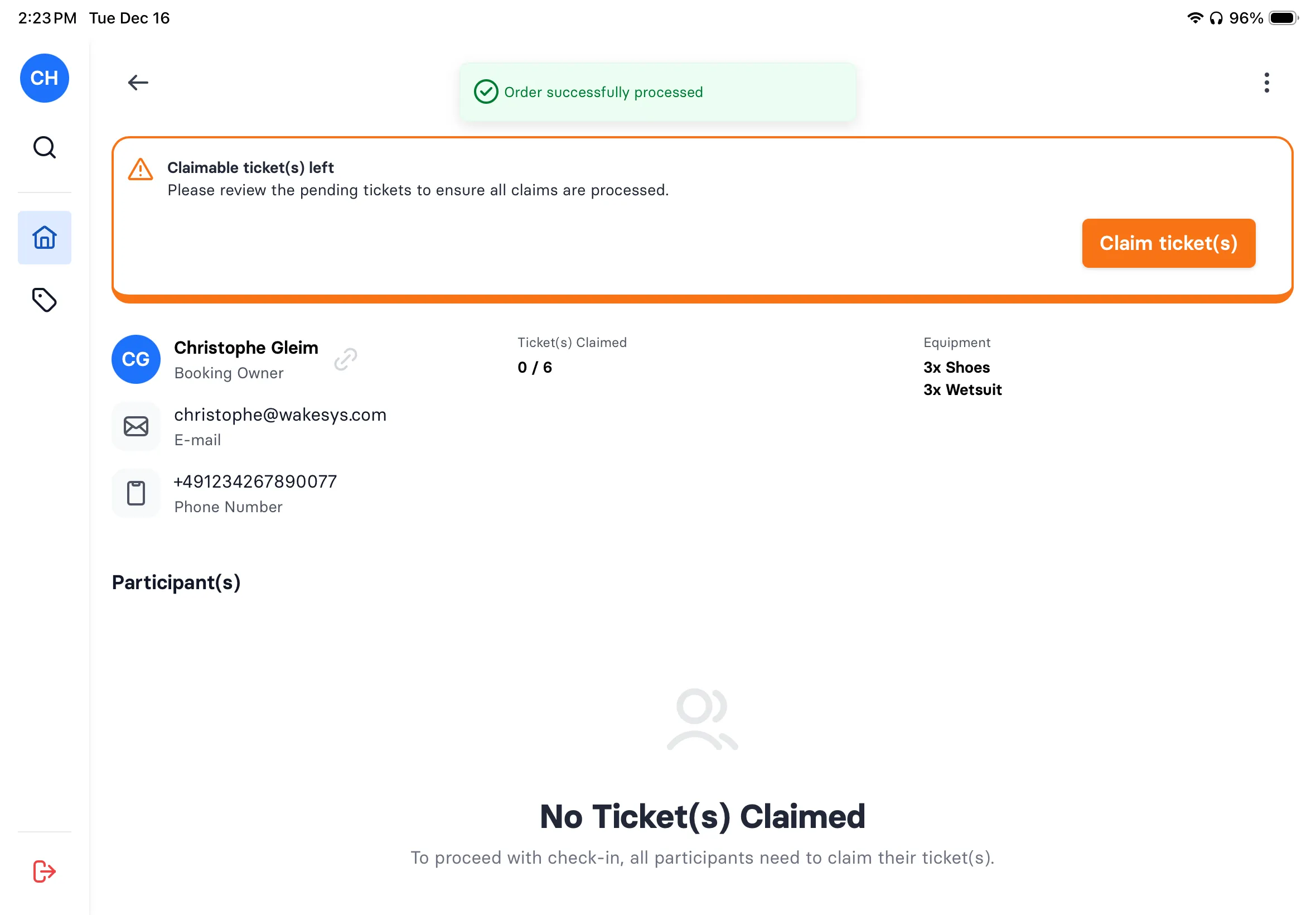
- Success toast confirms completion
Walk-in sales
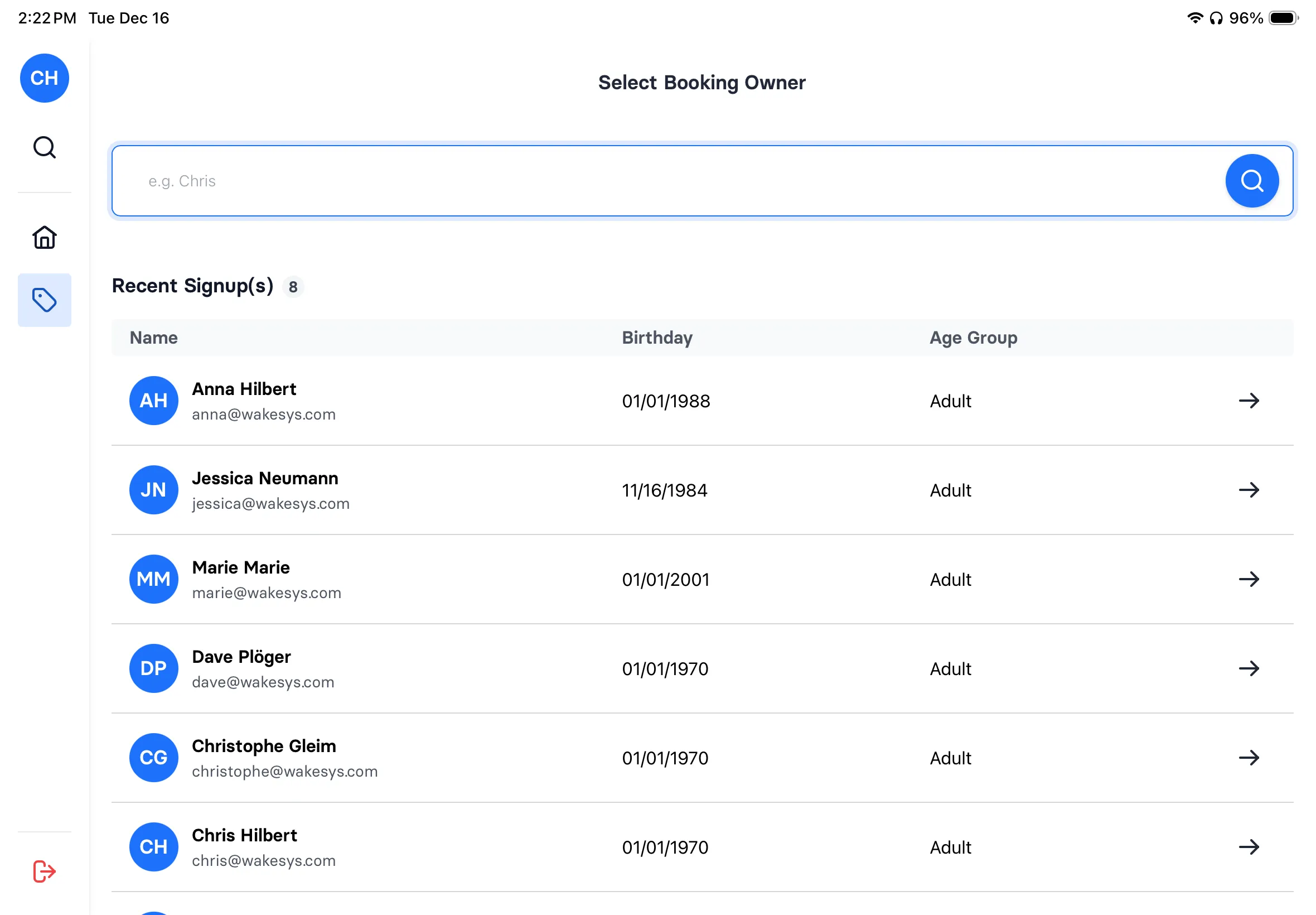
Sell tickets at the counter
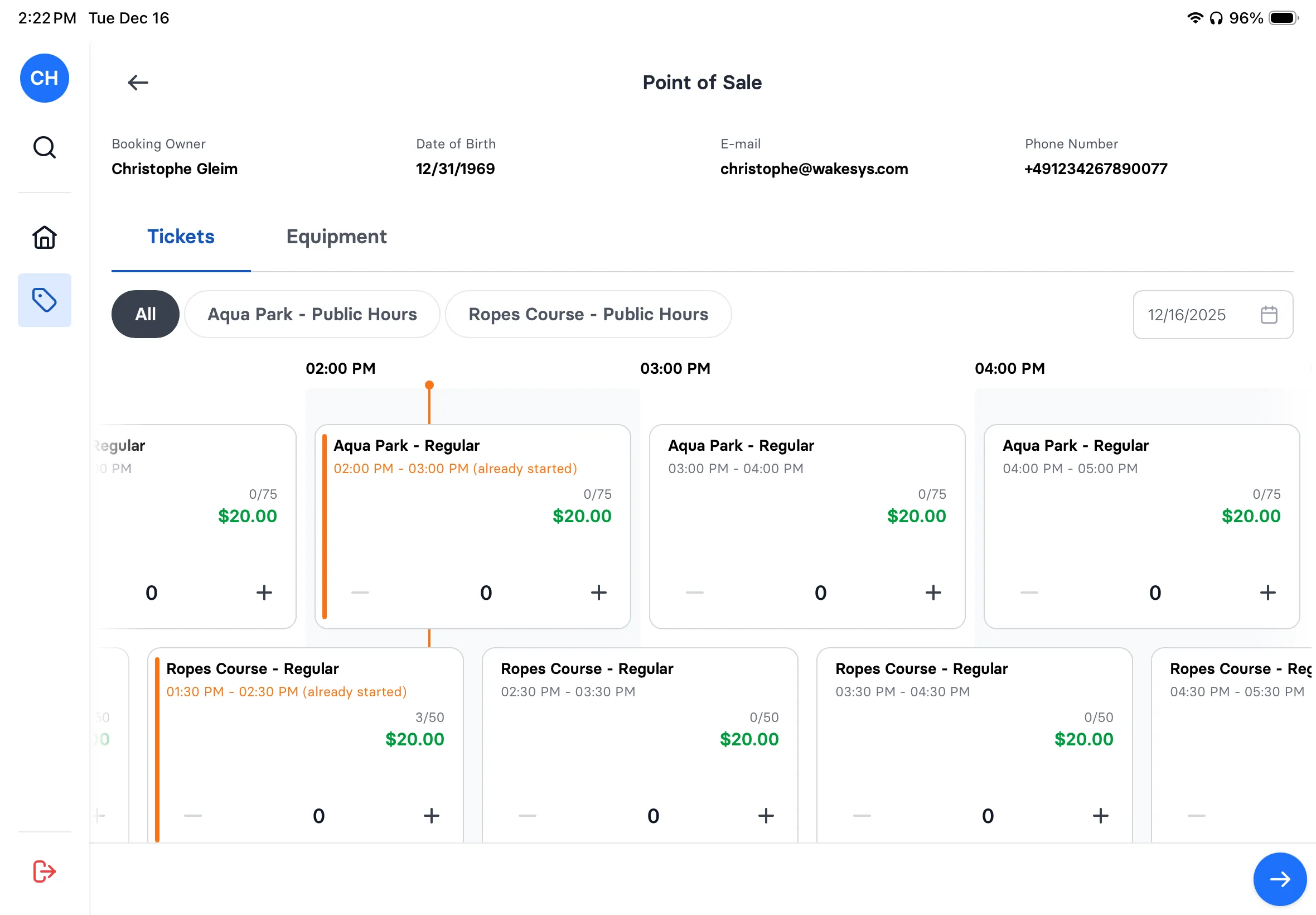
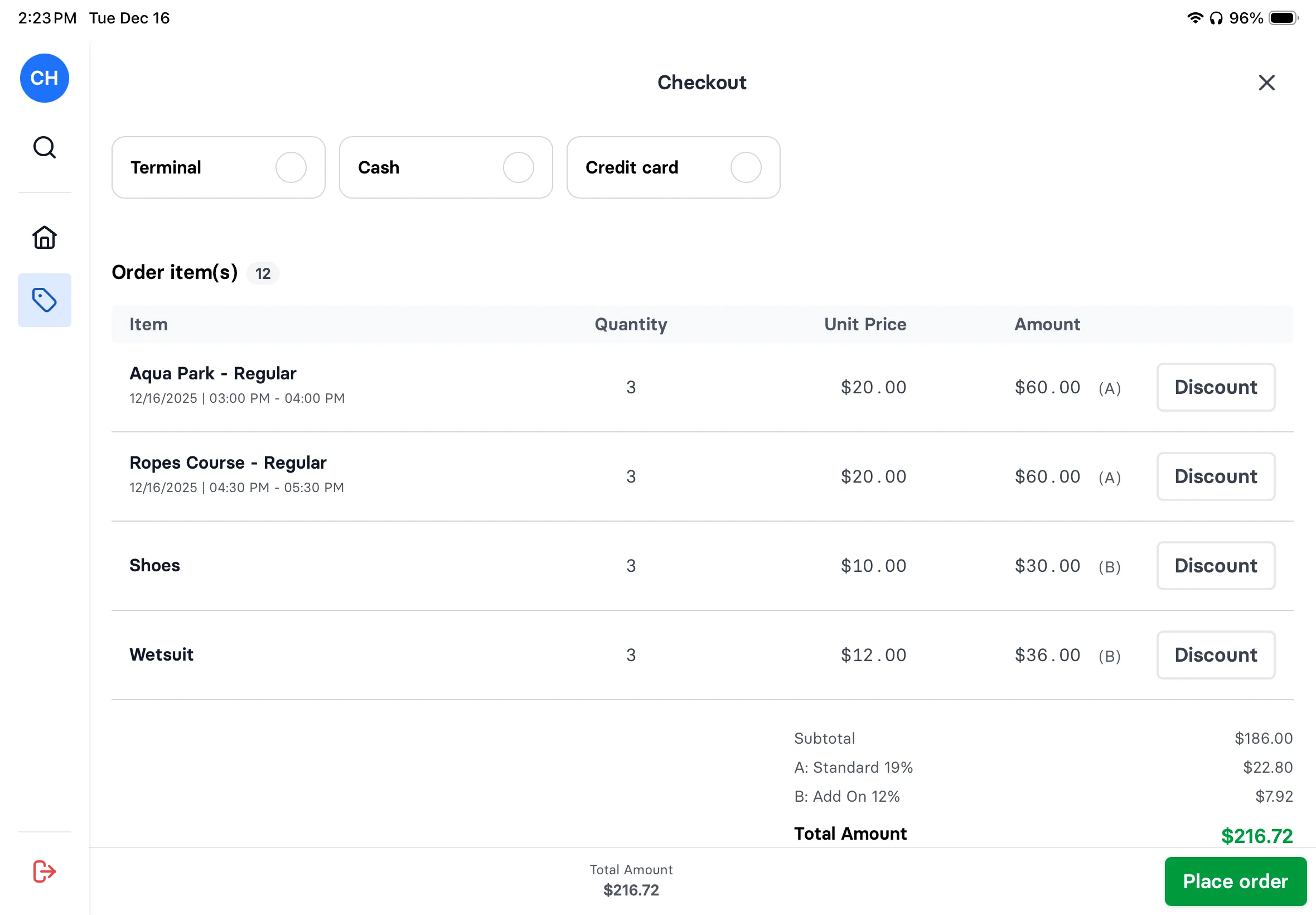
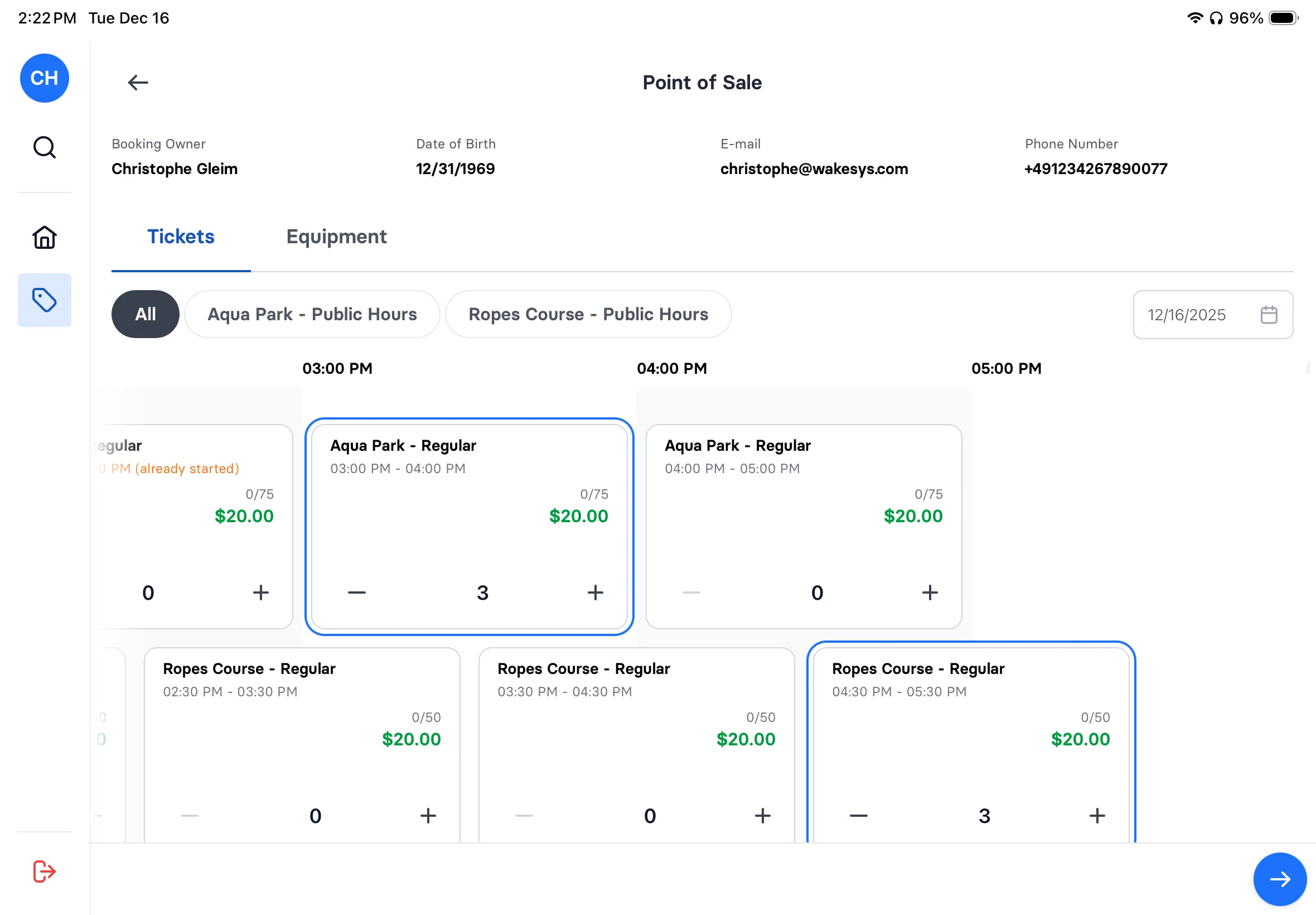
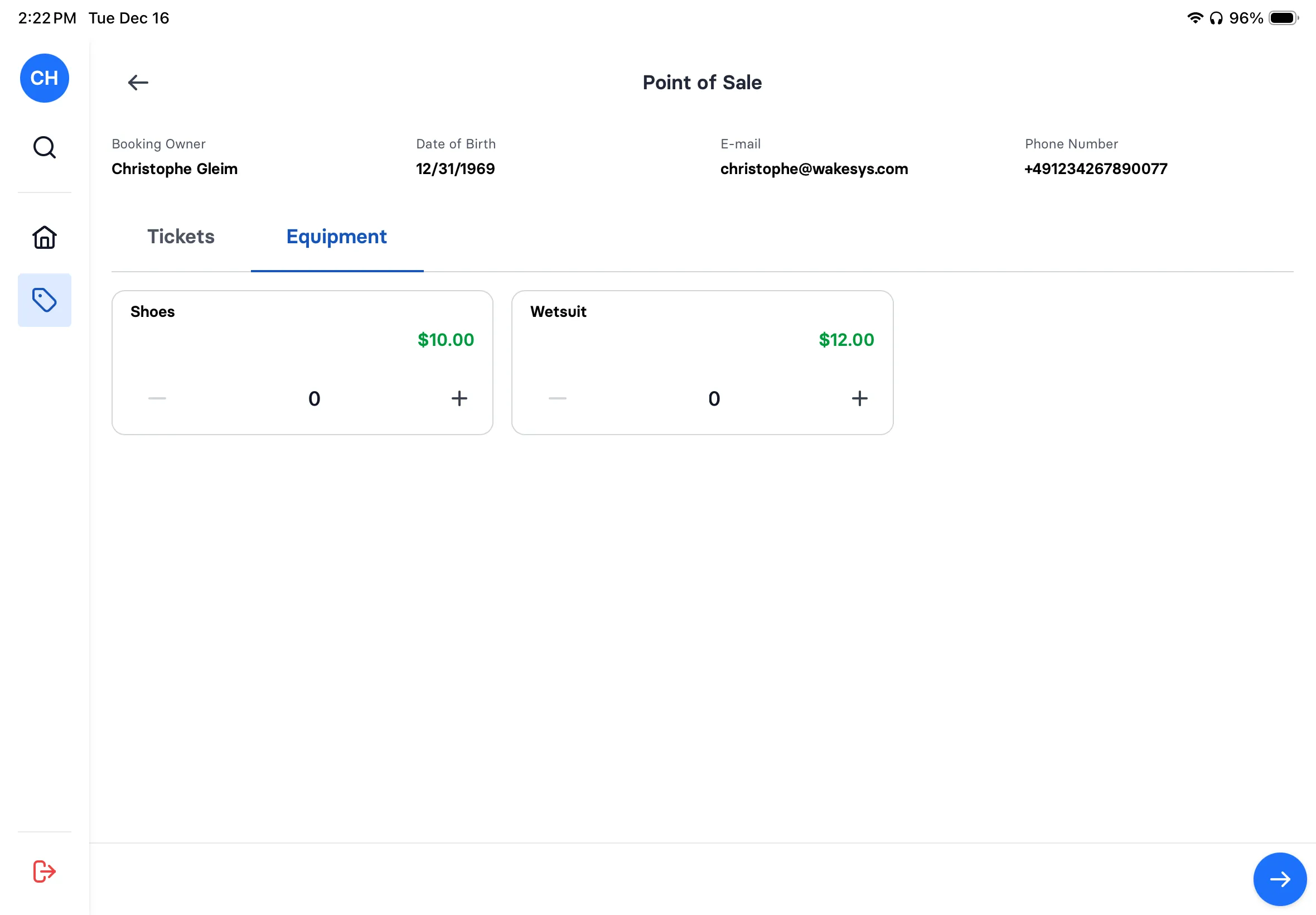
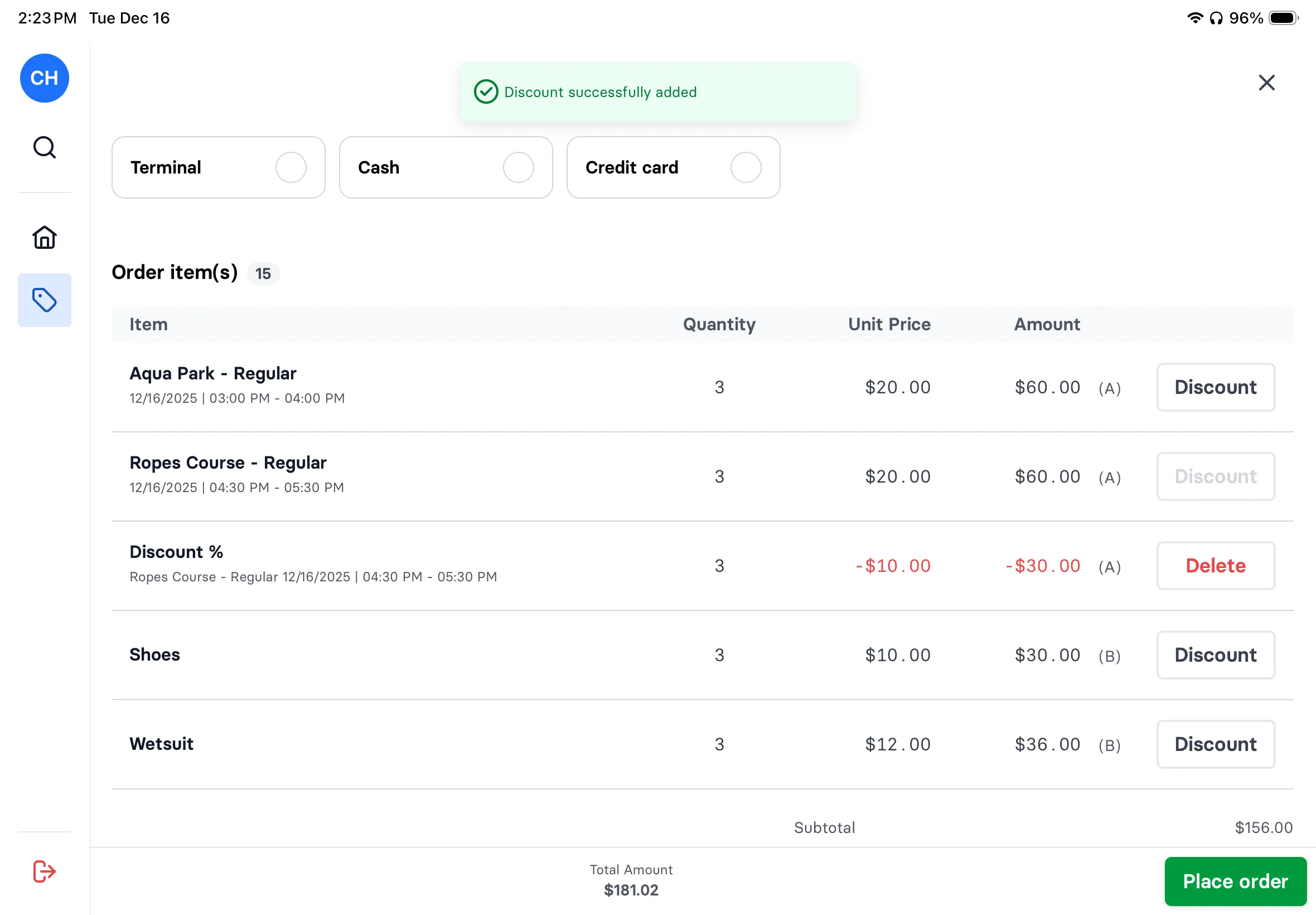
Guest shows up without a booking? No problem. Select time slot, add equipment, take payment. Cash, card, or Stripe Terminal. Waiver signing built right in.
- Visual time slot grid with availability
- Add equipment rentals in seconds
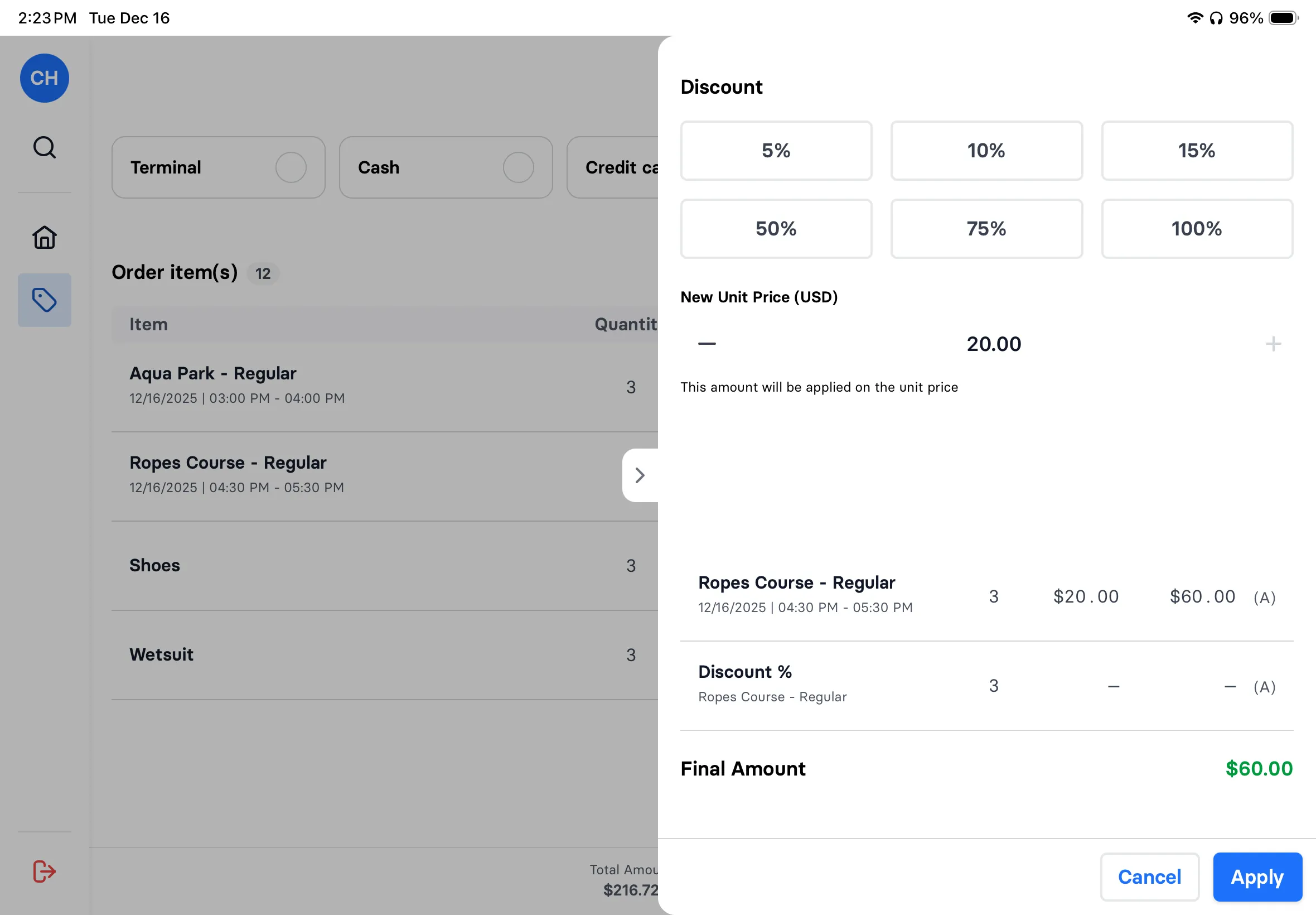
- Apply discounts with one tap
- Multiple payment options
Refunds & cancellations
Refunds without the headache
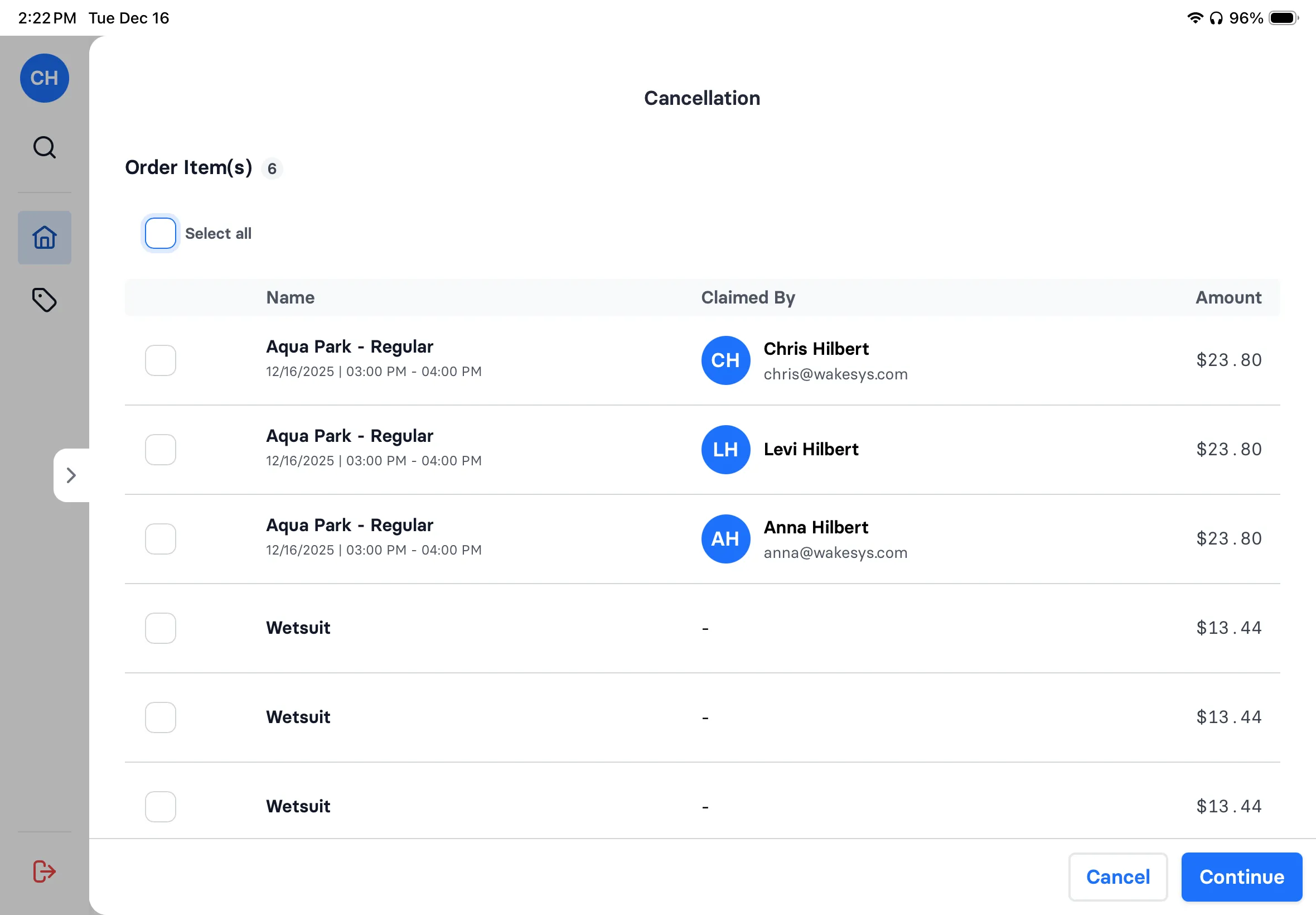
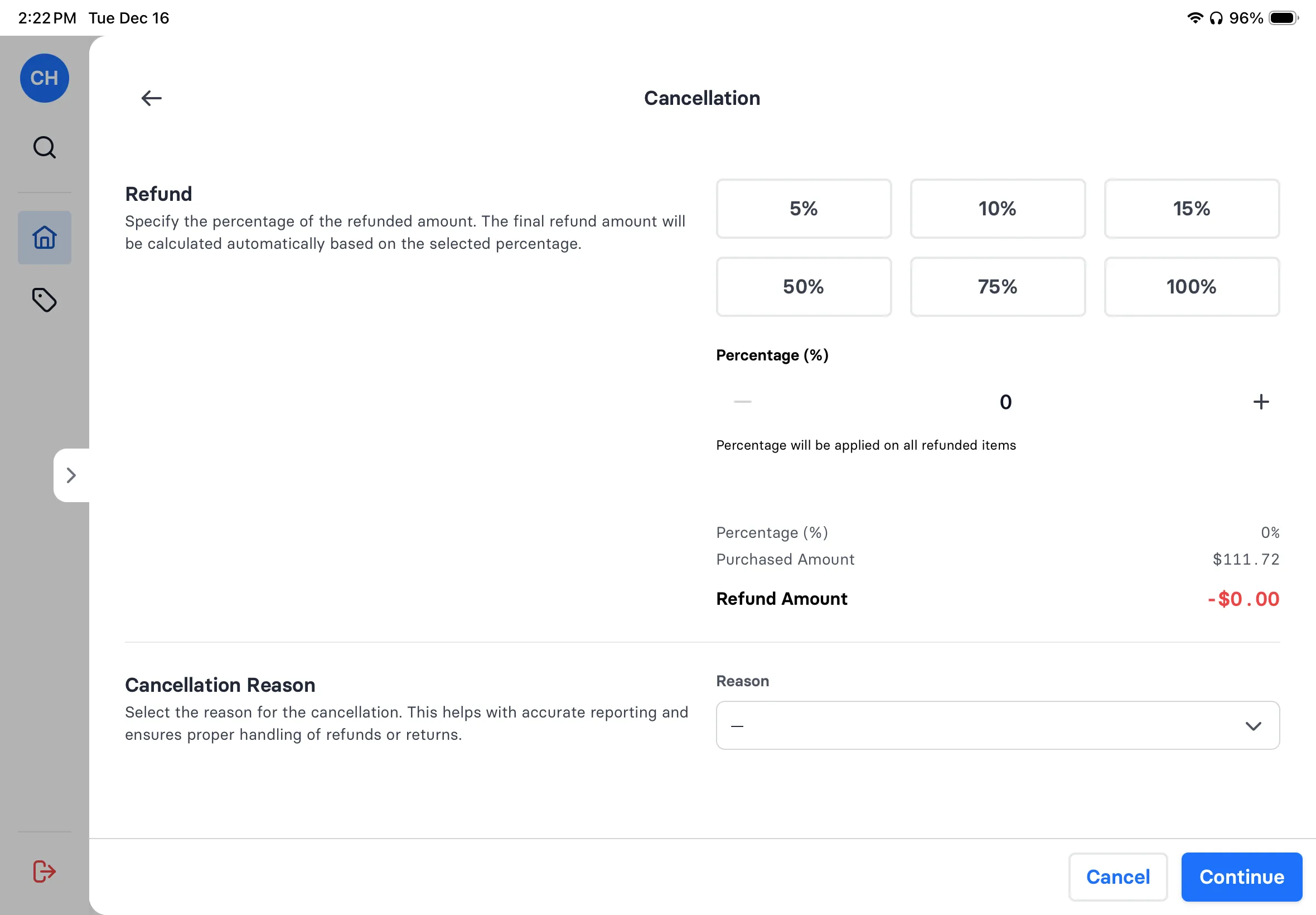
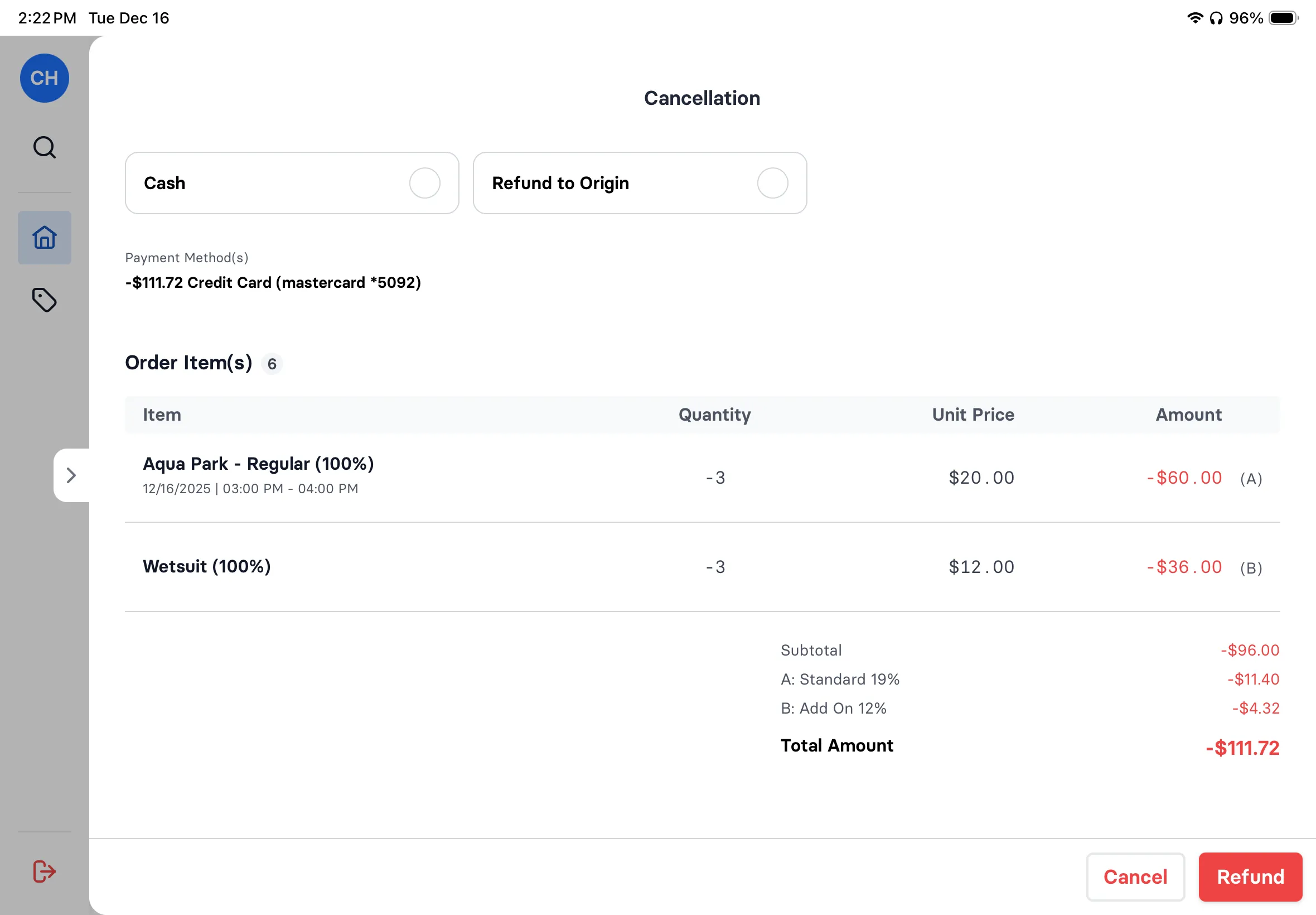
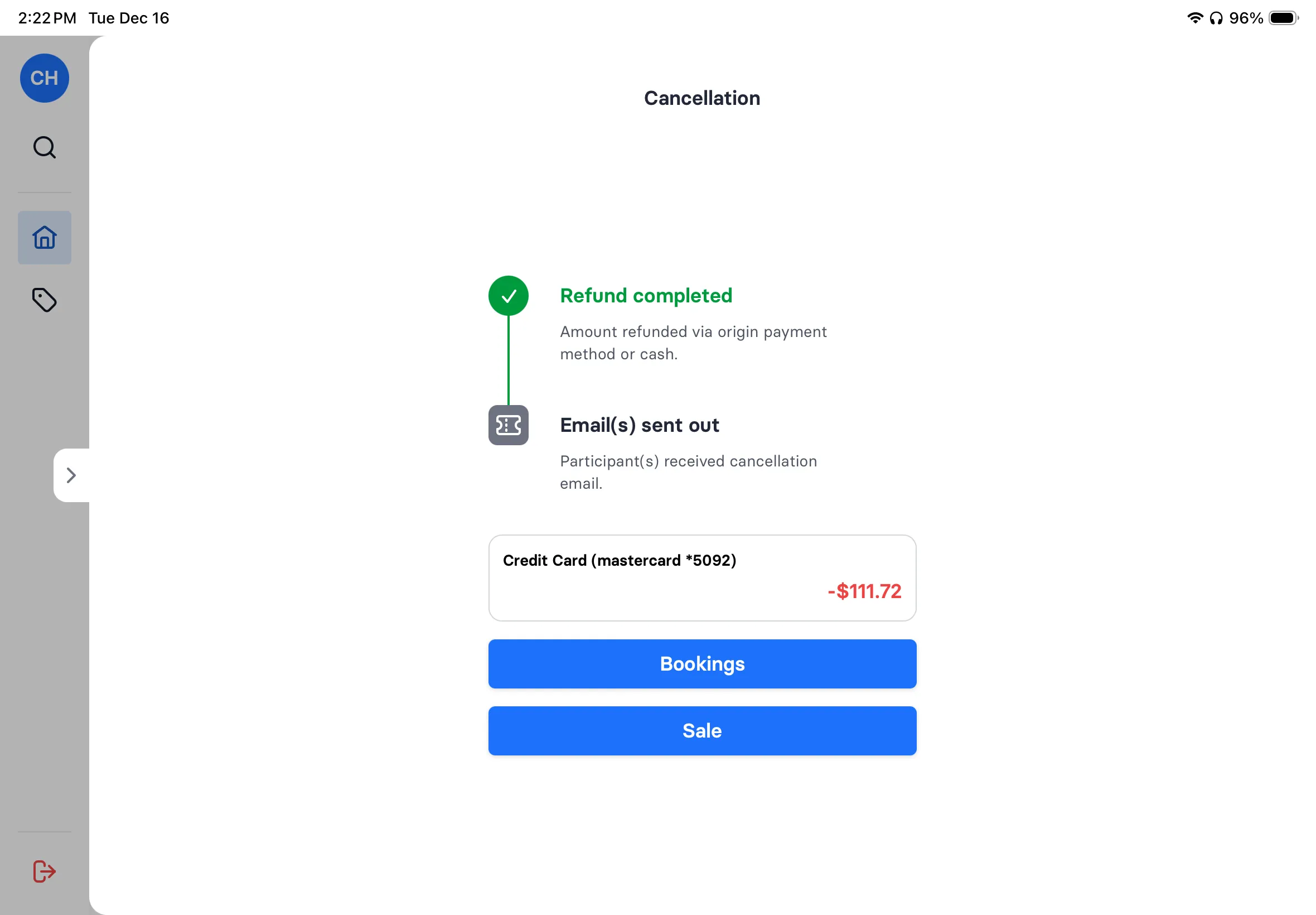
Weather cancellation? Select items, choose percentage (5% to 100%), pick reason. Refund goes back to original payment method or cash. Email sent automatically.
- Select specific items to cancel
- Flexible percentage refunds
- Reason tracking for reporting
- Refund to original payment or cash
- Automatic cancellation emails
POS

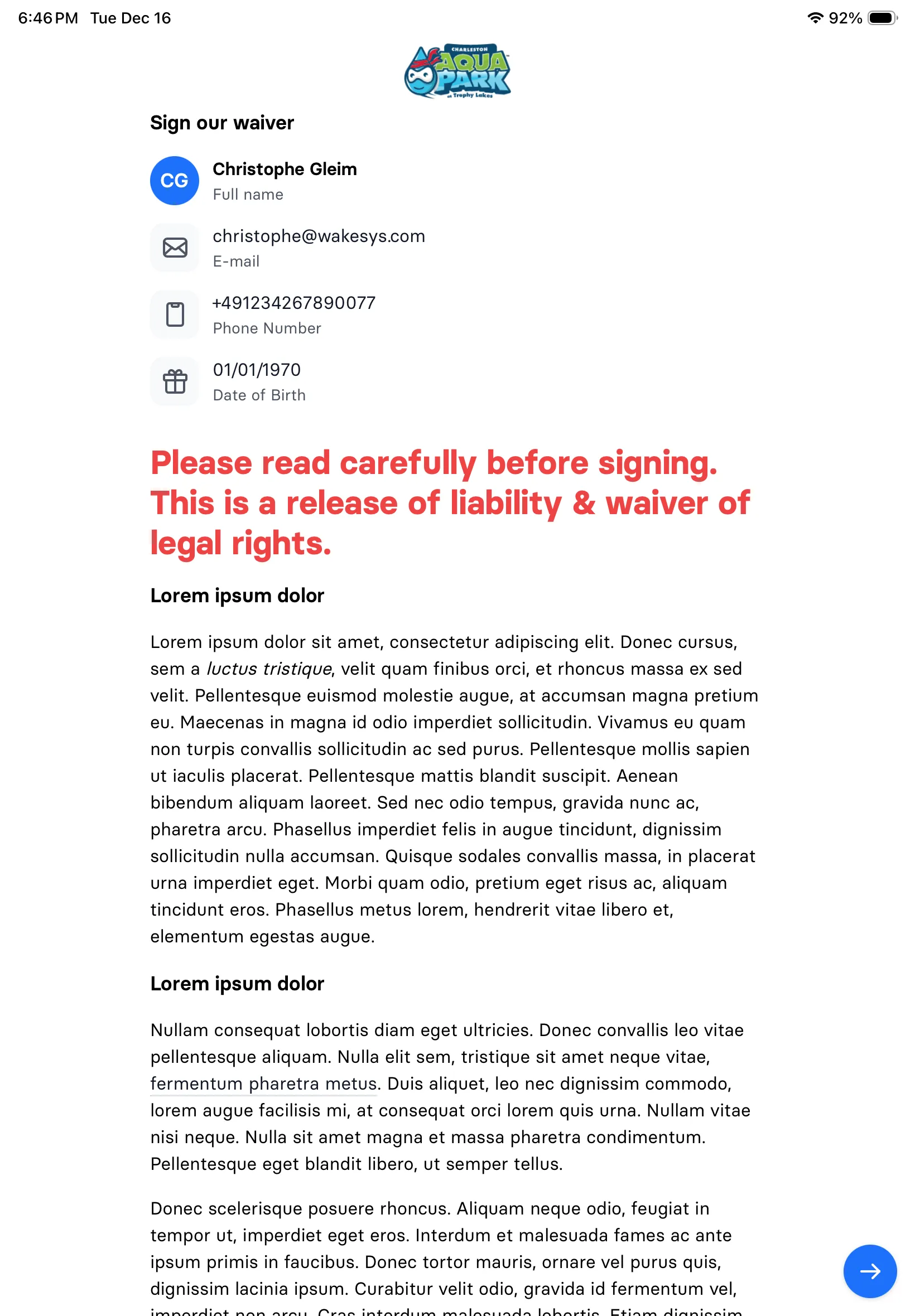
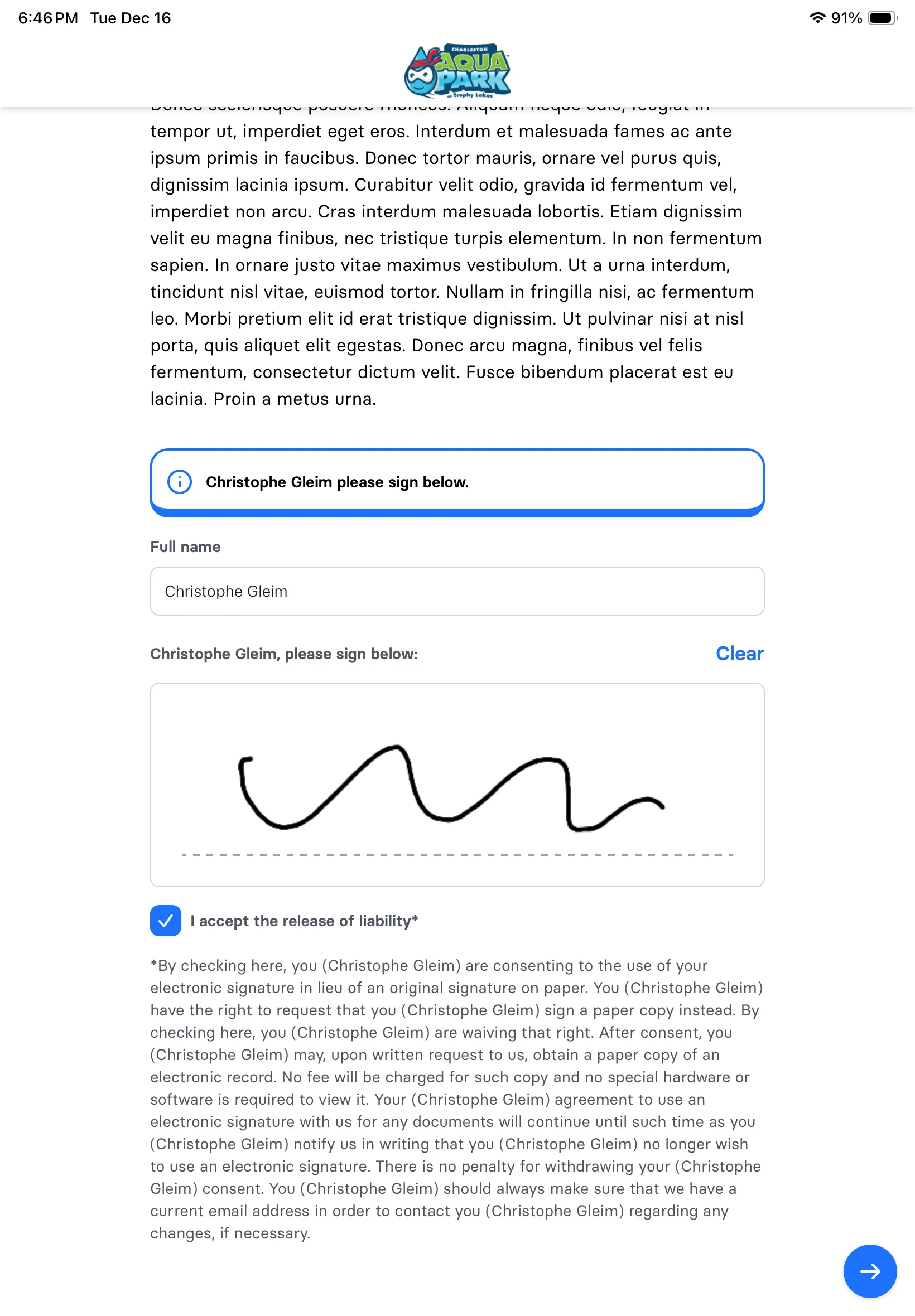
Waiver iPad
On-site waivers
Sign right at the counter
Hand the customer iPad over, they sign, your POS updates automatically. No paper. No clipboards. No separate waiver kiosk.
- Dedicated customer iPad for signing
- POS updates in real time
- No back-and-forth with devices
- Ready for check-in instantly
POS for your kind of venue
Same POS everywhere. Here's how it's set up for each venue.
Frequently asked questions
wakesys shows a live daily manifest of everyone booked for today, organized by session time. Staff can check in a whole group with a single tap, or look up individual guests by name or booking reference. No manual lookups needed for pre-booked guests.
Yes. Walk-in sales through the POS work exactly like the online booking flow. Staff select the activity, session, and number of guests, apply any discounts, and take payment through the integrated card reader. Walk-in tickets are immediately in the same system as online bookings.
wakesys supports full and partial refunds. You can refund by percentage, by ticket, or issue store credit. Refunds are processed directly through the POS and reflected immediately in your reports. Staff can add cancellation notes for internal records.
Yes. The POS shows a real-time waiver status for every booking. If a guest's waiver is missing or revoked, the POS flags it in red. Staff can send that guest's form, already filled in, to the customer tablet at the counter.
wakesys POS runs in a browser on any tablet or screen, typically an iPad mounted at the front desk. There's no dedicated hardware required. The POS and online booking share the same database, so availability updates the moment a walk-in ticket is sold.
See the POS in action
We'll show you a busy check-in day. You'll see why your staff will love it.